New Tech in Schools

So 2020 was super long, but I was pretty busy with figuring out new ways to teach while maintaining social distance. Luckily we got some help in the form of new technology.

This is a google slideshow I made to help educate ALTs and friends about the new Denshi Kokuban in classrooms. I used VRM models and OBS software to make the instructional videos.

PowerPoint quiz show lesson

(Social-Distancing teaching)

Hmmm…

Toss a coin…

So… in the “social-distancing” era of ESL teaching how are you adapting?

Personally… I didn’t go back to teaching in classrooms until June 1st. You’d think I’d have a long time to strategize how to approach lessons going forward… but I also have a toddler. Excuses aside though I have massively changed my teaching style.

Really… every parent had very realistic expectations about working from home…

The teaching style that I developed over my time in Japan was centered on student’s teaching each other. Lots of group work and communication activities. I liked letting students get an objective that required them to get more information via verbal communication. So they would form questions, ask those questions, and then record what they learned. Then they would disseminate that data and share it.

Buuuuut… group work is not an option. Students are allowed to work in pairs, but desks have to remain around 60cm apart from each other. To be frank I think it is unnecessary. All the students are wearing masks. If we have COVID spreading the current precautions we are taking probably aren’t going to halt its spread. Students still hang on each other during breaks. They still talk in close groups and touch each other. They have to remove their masks to eat. They walk home together. They play and hang out after school and on weekends. I digress.

19 Social Distancing Memes & Coronavirus Jokes! | The Travel Tart Blog
yeah… baby

With the social distancing handicap I’ve moved on towards using the very thing I’ve railed against for years. PowerPoint.

Now I’ve covered my issues with PowerPoint before and I won’t rehash those now. (Full disclosure I totally did write a lengthy rehashing, then read it, realized I probably have unhealthy issues and the 4 of you who will actually read would be bored so I deleted it…) But for all the problems I have with PowerPoint it can be an extremely useful tool, if used right.

Design a powerpoint presentation by Iniebininie
Can I get this icon in cornflower blue?

I make heavy use of animations in my PowerPoint presentations. Here are some that I’ve made with corresponding worksheets. Basic premise is making activities based on Japanese quiz/game shows in style. So far student participation is 100%, though only because I make each row stand up. I don’t love these lessons, but the kids enjoy them so far and while speaking and active communication time is drastically cut only because 1 on 1 and conversation within groups are now not possible given the parameters necessitated by COVID19.


My 3rd year students missed the last month of school so the teacher asked me for an activity for them to practice using passive voice as it was confusing them. TBH I dislike passive voice and I think it’s importance is overstated by Japanese English curriculum.

Starting off we warmed up with this passive voice quiz. Students all stand. I read the verbs and they would raise their hands to say either the past tense past participle. Then I would reveal the answer by rolling the animation and the students would write it on their worksheets. After students answered we would play Rock-Paper-Scissors and if they won then they could pick a friend to sit down. If they lost then only the student who answered could sit.

Next is the quiz/game/activity PowerPoint. If you run through the slideshow it’s easy to see how I ran the activity because I explain it visually in the PowerPoint.


My 2nd year students have broken into their 2nd year curriculum and we did similar quiz game as a class.

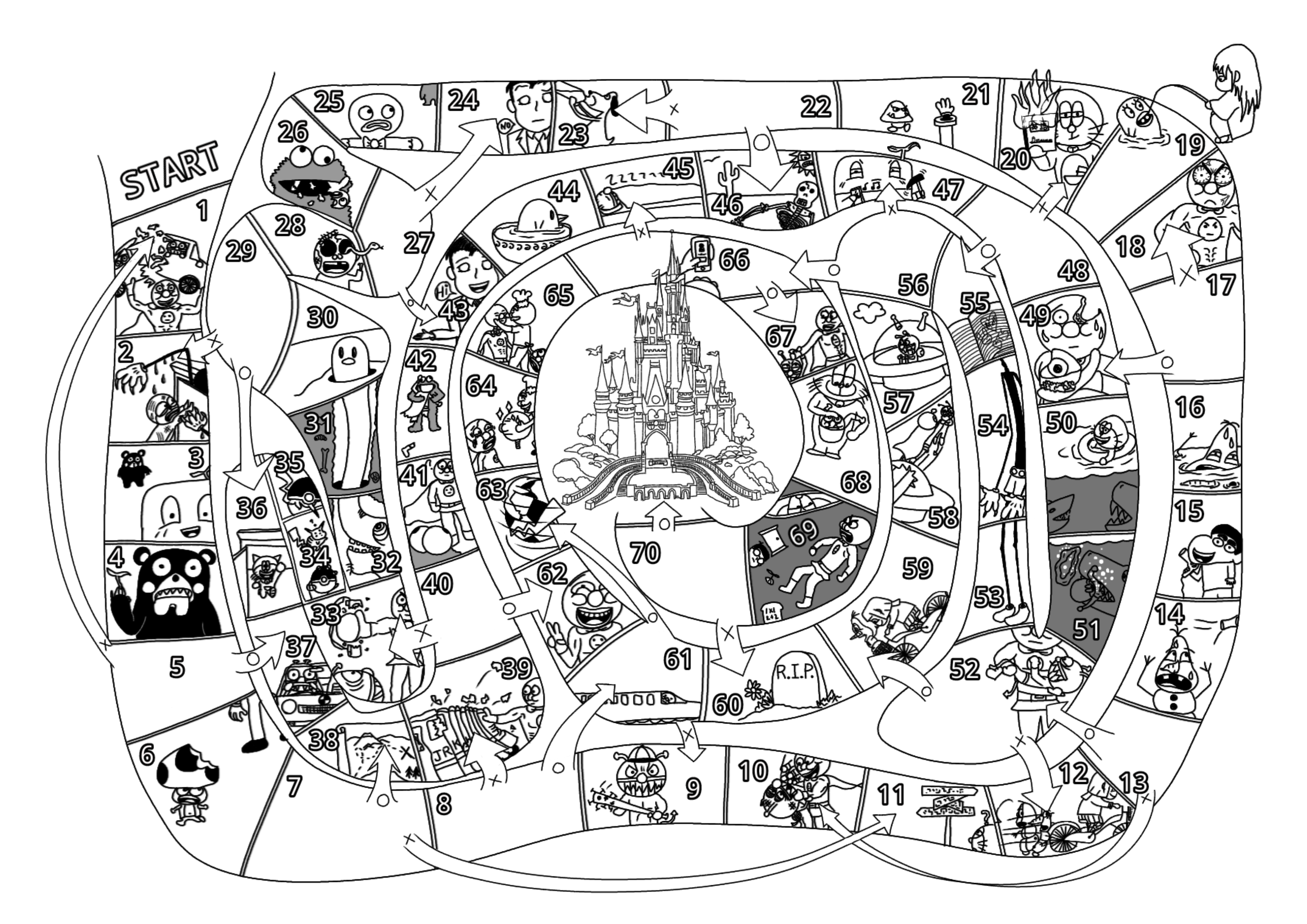
The King Game

I thought that it would be interesting to see the process I go through taking old materials and digitizing them.

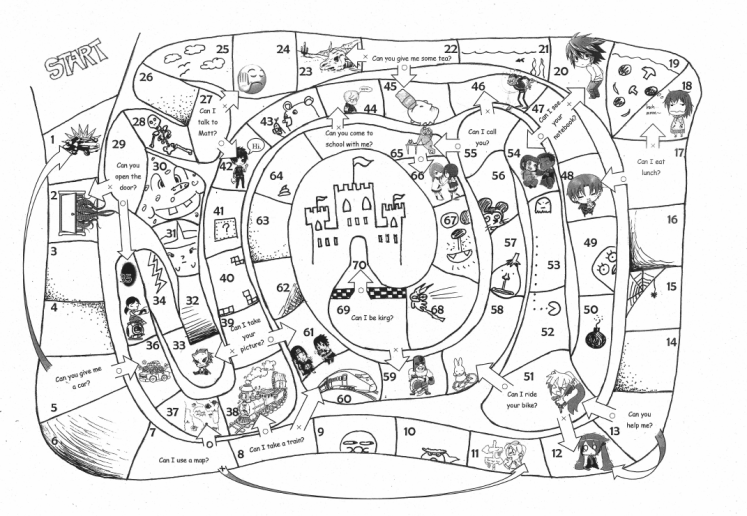
This is the original I made. I hand drew the board and used clip art and MS Word to add grapics, text, and numbers.

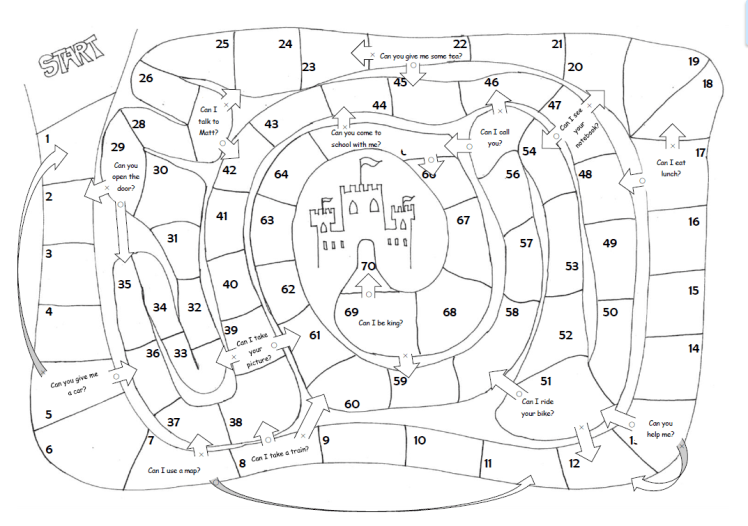
This is the image without grapics, and this is the one I used as the base for the digital version.

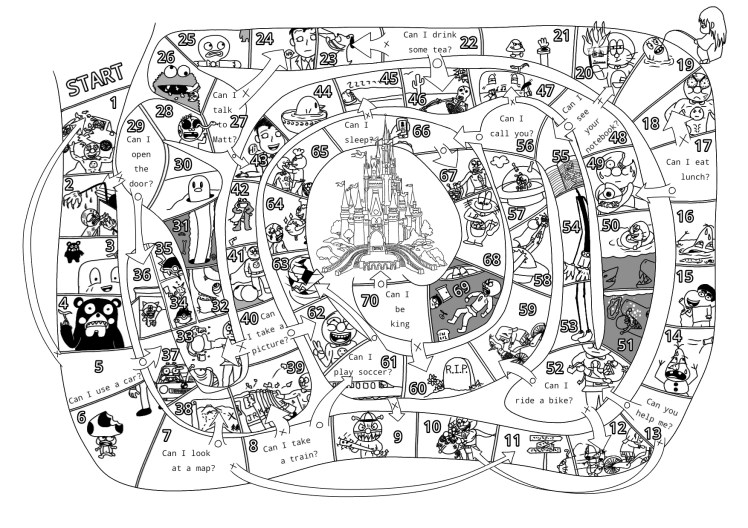
This is a video of me drawing from start to finish on my Samsung tablet. I used an app called Ibis Paint X that is free. All the elements are now hand drawn. Some of the images are from other things I’ve drawn that I then imported and redrew so it would look cohesive. The castle alone I traced from a coloring book image, I can draw decently, but that level of detail would’ve taken me hours to come up with something comparable.


Here is the finished product.

Here is a blank template you can fill in your own questions. I would suggest downloading it and then drop it into microsoft word and use text boxes to add your own questions.

How to play the King Game

Here is a detailed lesson plan for the King Game. It can be used for 1st year students studying, “Can I~?” / 2nd year students studying, “May I~?” / and 3rd year students studying, “Could/Would you~?”

What I Wished I Knew Then


TL:DR Keep doing what works.


I’ve not kept a consistantly updated blog in… never. They always die after a few years. That’s fine though. Nothing lasts forever, or at least that’s what I keep telling myself whenever I hear mumble rap.

I’m using this sort of as a cloud storage for my teaching materials. I do already have a google drive and several USBs filled with stuff, but I figured, “Hey! I worked hard over the years developing these ideas and philosophies so I should share them for free with anyone.”

As far as teaching goes I really enjoy it! I hope you do as well. A lot of variables go into that though… many of which are not in your direct control. If you were like me you received a week of training before you started your job as an assistant language teacher. From what I can remember the only useful thing I heard all week was, “Smile.”

The whole week of training they kept going through these books with really shitty cheap formatting with loads of lessons. Some of those were probably really great lessons, but it was too much. I didn’t know where to start and I shoved those books into a desk drawer where they still remain to this day, I assume… But it really pressured us to keep things fresh. Be a flood of new ideas of creativity with the start of each new day…

That is possibly the worst thing to do as an educator. My advice is figure out what the students enjoy and then use that repeatedly. Beat that horse until it’s unrecognizable, because as it turns out kids don’t mind doing the same thing over and over again. Really that should come as no surprise. Anyone who has played boardgames knows you don’t just play the game once and then never want to touch that game again. If you ever played Sim City you never just built one city and then instantly moved on satisfied to never build a second one. If you ever played Pokemon you never got bored after the first digital dog fight. You kept grinding that content until you caught all the damn pokemon.

Constantly introducing new games and activities will be detrimental in the long run. Explaining new rules cuts swaths out of your class time. If the students have new grammar that they have to practice, but they know the framework of the activity and lesson already, you can maximize the ammount of time they have to engage with the material. The only one and done lesson plans should be the ones that bomb. If you have a great lesson identify why it was good and cannibalize that for the rest of your career. It’s not to say you can’t come up with new stuff, but it’s better to do varying iterations of something that the kids enjoy, then confuse them every lesson with something new.

So… first post, this my first bit of advice to you, take it or leave it. I will now begin to upload worksheets and activities that have worked for me in the past. I teach mainly in junior high school, but many of these ideas could be adapted to teach all ages. If you have advice don’t keep it to yourself. If you have questions then ask.


Disclaimer… I’m using our school’s very old computers to write this blog, upload materials, and also create a lot of the worksheets. This computer is still running Windows XP. The interface sucks and sometimes it deletes large contents of what I’ve written. This post in fact originally contained a funny annecdote about my first day of school, but after multiple crashes and I’ve finally figured out how to sort of get this to work, but I am too annoyed to re-write everything I orginally had written. Maybe it’s for the best. It was kind of rambling.