Writing Lesson Plans

TL:DR Here is a template to write lesson plans. Just make a copy to your google drive and fill in the blanks. Drop down menus provided are also customizeable.

Do you write your own lesson plans? At some point I was asked to write a lesson plan for the first time. And probably because I didn’t and don’t really teach off of already written lesson plans, I had no idea what a lesson plan would look like. I’m sure my first attempt was a mess. Just because you can do something well, doesn’t mean you can write a How To set of instructions to help someone else do it…

Like… it’s not hard to do it poorly…

So as someone who occasionally has to help “train” ALTs, and I use the word “train” extremely loosely, this year I was flooded with lesson plans. I’ll be honest… I didn’t look past the basic design of any of them. My brain just shut off when I opened them all up, they were such a hodgepodge of different styles it made me cringe. But that’s not because they were written badly or by people who don’t know how to make lesson plans. I’m sure they were all wonderful… Just it’s hard to look at something and judge scores of them when all of them are all different looking. It’d be like having a dog competition, but your definition of dog is anything that has 4 legs and and fur.

Sandor Clegane - Wikipedia
Best in show…

So…. I made this: Lesson Plan Template

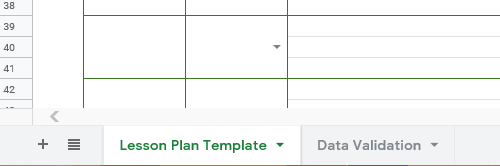
It’s a google sheet. There are 2 sheets included. The first sheet is the lesson plan template itself with some instructions on how to get started. The second is a ‘data validation sheet’ that also comes with instructions on how to use it.

Bottom left to swap between the two. In the event you’ve never used Google Sheets or Excel. Has to be some of you, we all start from somewhere.

I hope it proves helpful for when you want to make your own lesson plans in the future. I would suggest that my own company adopt a standardized procedure in the future, but my suggestions are received about as well as Firefly was by Fox executives.

Makes no gorram sense…

PowerPoint quiz show lesson

(Social-Distancing teaching)

Hmmm…

Toss a coin…

So… in the “social-distancing” era of ESL teaching how are you adapting?

Personally… I didn’t go back to teaching in classrooms until June 1st. You’d think I’d have a long time to strategize how to approach lessons going forward… but I also have a toddler. Excuses aside though I have massively changed my teaching style.

Really… every parent had very realistic expectations about working from home…

The teaching style that I developed over my time in Japan was centered on student’s teaching each other. Lots of group work and communication activities. I liked letting students get an objective that required them to get more information via verbal communication. So they would form questions, ask those questions, and then record what they learned. Then they would disseminate that data and share it.

Buuuuut… group work is not an option. Students are allowed to work in pairs, but desks have to remain around 60cm apart from each other. To be frank I think it is unnecessary. All the students are wearing masks. If we have COVID spreading the current precautions we are taking probably aren’t going to halt its spread. Students still hang on each other during breaks. They still talk in close groups and touch each other. They have to remove their masks to eat. They walk home together. They play and hang out after school and on weekends. I digress.

19 Social Distancing Memes & Coronavirus Jokes! | The Travel Tart Blog
yeah… baby

With the social distancing handicap I’ve moved on towards using the very thing I’ve railed against for years. PowerPoint.

Now I’ve covered my issues with PowerPoint before and I won’t rehash those now. (Full disclosure I totally did write a lengthy rehashing, then read it, realized I probably have unhealthy issues and the 4 of you who will actually read would be bored so I deleted it…) But for all the problems I have with PowerPoint it can be an extremely useful tool, if used right.

Design a powerpoint presentation by Iniebininie
Can I get this icon in cornflower blue?

I make heavy use of animations in my PowerPoint presentations. Here are some that I’ve made with corresponding worksheets. Basic premise is making activities based on Japanese quiz/game shows in style. So far student participation is 100%, though only because I make each row stand up. I don’t love these lessons, but the kids enjoy them so far and while speaking and active communication time is drastically cut only because 1 on 1 and conversation within groups are now not possible given the parameters necessitated by COVID19.


My 3rd year students missed the last month of school so the teacher asked me for an activity for them to practice using passive voice as it was confusing them. TBH I dislike passive voice and I think it’s importance is overstated by Japanese English curriculum.

Starting off we warmed up with this passive voice quiz. Students all stand. I read the verbs and they would raise their hands to say either the past tense past participle. Then I would reveal the answer by rolling the animation and the students would write it on their worksheets. After students answered we would play Rock-Paper-Scissors and if they won then they could pick a friend to sit down. If they lost then only the student who answered could sit.

Next is the quiz/game/activity PowerPoint. If you run through the slideshow it’s easy to see how I ran the activity because I explain it visually in the PowerPoint.


My 2nd year students have broken into their 2nd year curriculum and we did similar quiz game as a class.

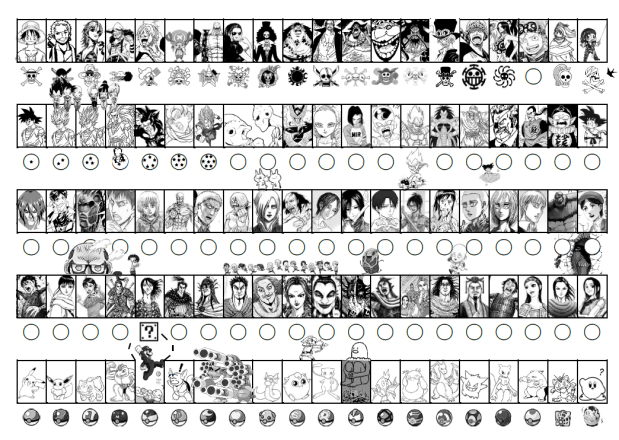
Sticker Sheets

I use sticker sheets in all my classes. The students get one sticker sheet during my first lesson when they are first year students. They can use this sheet for all three years of JHS. I do however offer new sheets at the beginning of second and third year for any students who lost the old sheet, their old sheet was damaged, or they just want a fresh copy.

I also offer prizes to the students. The prizes are small pictures I print, laminate, and cut. I tend to vary the amount of stickers needed to get a certain type of prize based on popularity. I will alter these prices over time as I revise the sticker sheets.

I used to make these in Photoshop, but Microsoft Word is fine and easy to make uniform sized pictures. I use the tables as guidlines and crop the images to fit.

I am providing you with the most recent PDF of my sticker sheet. You can also download the Word Doc I used to make it. The sticker sheets of the past I originally made in Photoshop, but making them in Word means alterations can be done quickly and on school computers. Some schools don’t allow personal laptops and I doubt any schools have computers capable of running Photoshop. The quality takes a dip, but after the end result is printed off and run through a bulk copier you won’t notice.


One word of advice is to always save your finish document as a PDF to print from. If you have a Word Doc with a lot of images the printing will sometimes be misaligned and you’ll have fractured shapes, tables, and images. Saving as a PDF and then printing condenses the information so your poor school computers can handle the work.

Because of budget…

For JHS teachers sticker sheets go well with rewarding winners of activities, volunteers that speak in class, etc. Make sure you JTE agrees to use it and you acknowledge how it will be used, before you make copies. I leave it up to the individual JTEs so they can give out stickers also if they want. Most choose to use it as something we only use when doing ALT lessons.


Warning on ES

For elementary school students be wary of using stickers. For 5th and 6th year students there should be no issue, but younger students may be driven to tears if they don’t get at least one sticker in the class. I don’t suggest using stickers at all in ES if you’re there full time, but if you only visit the school a few times a year then it would be alright as long as you bring enough stickers for everyone, and give everyone a chance to earn one. Like at the last 5 minutes of class you can ask, “Who has no sticker?” and then those students can be asked a simple question from the lesson or just ask them their name. Try to let them feel like they earned the reward. So make sure you budget enough time at the end of class.

OK, Boomer…

Stickers are cheap off of Amazon. I like to use the Emoji stickers. My schools have an English budget so I tell them what to get, but even if they didn’t I would buy them myself.


This is the most recent sticker sheet. The PDF is good to print now. The DocX file should be used to customize your sheet as you like with whatever you are personally intersted in. Sometimes I’ll stick pictures of the teachers in it. Copy paste your image. Scale it down. Then place it where you like. Send the image to the back so it’s behind the guidelines of the table. Then crop it down to fit. You can merge and split cells as you like. If you don’t know how to do that it’s not hard. I suggest just switching between solid and blank lines instead of deleting cells altogether.

General Lesson Planning

The basics

Generally speaking lessons will focus on 4 different elements: Reading, Writing, Listening, and Speaking. Unlike some, I disagree that every class should use all 4 of these. Granted you will likely use some of all 4 in every lesson, but that’s semantics, your lesson focus doesn’t have to incorporate all 4.

The students will be doing a lot of reading, writing, and listening with their JTE through the textbook curriculum already. If I had to pick the weak link I would say it’s speaking, along with interactive listening. I tend to focus my lessons on active communication unless otherwise requested. E.g. Sometimes JTEs will want to improve reading test scores so I will prepare a reading test exercise.

I also disagree with my more scholarly colleagues that test prep has to be serious. Anything that isn’t fun is, for me, hard to grind through. I postulate that if the students are enjoying themselves they won’t notice they are learning, well won’t notice as much… Most of my activities and lessons lean heavily on a fun/competitive aspect as well as group learning. Japanese schools and classes use the “block system” so each class is typically further divided into 4-6 student groups with a group leader. Yes, tests are done individually, but group learning is highly advantageous for getting close to 100% classroom participation. So the material I make while challenging is interactive and done in groups so either they all succeed or they all fail. Even when I was teaching elementary school I quickly fell into this method. A single student could be many things, but if one of those things is shy or anxious then what should be a fun lesson could leave a single student in tears. Relying on the block system that the students already understand and know reduces the pressure on an individual student and pools their language ability. While I may require students to answer individually, if they are in a group then the stronger students can model and help coach the others.

Laying out the steps, step-by-step

My favorite sort of lesson will basically run itself after the students understand the guidelines. The first step in this is making sure the JTE understands the guide lines. When you lay out your explanation think long and hard about how you will instruct the class. Don’t use 5 words when 2 would suffice. Don’t rush through all 10 steps of the activity. If it is a new activity then flesh it out. There are 3 methods that I usually use for this.

  1. Explain in sets of 3. If I have 6 steps to an activity I will explain steps 1-3 first. Then will go back to 1 and check for comprehension. I will ask the class, “Ok. Step 1. What do you do?” And then I or I will ask the JTE to pick a student to explain to the class in Japanese what the first step is. After we solidify the first 3 steps then I will do the same for steps 4, 5, and 6. And so on. It is important that you explain to the JTE that this is how you will check comprehension so they don’t just say everything in Japanese. You’re not checking the JTE’s comprehension. If the students can’t understand you can do one of 2 things. Either go over the steps again. Or give them 1-2 minutes on a timer to talk with the students next to them to try to figure it out.
  2. Model the steps for the class. This is better for lower level classes. Clearly state, “Step 1” and then do the gesture of what step 1 is. This can also be broken into sets of 3 to back track and again ask the students to explain what they have to do to check the comprehension.
  3. Written directions. You can put the instructions of your activity on the worksheet. Diagrams and pictures help make it easier to understand. Then go through the steps as a class and check for understanding.

You can of course use other techniques and combine and mix these to suit your own style and the individual classes.

Active communication activities

A typical active communication activity will look like this:

  1. Ask ALT a question
  2. Listen to the answer
  3. Write about the information you learned
  4. Tell the JTE about that information
  5. Get points and go back to step 1.

Depending on the level of the class the question could be predetermined by the ALT and checked by the JTE or you can give varying levels of freedom to customize each question.

  • For an advanced class I might just say, “You can only use a verb once.”
  • For an intermediate class I might give them the verb they must use for each question, but then let them customize the rest of the question. E.g. “What ________ do you play _______________?”
  • For a low level class I might give them options they have to pick from. E.g. “What sport/game/instrument do you play?”
  • For those classes that you only aim to survive I give no options for the questions.

Point Systems

I typically use a randomized point system for activities. This has multiple utilities. The main reason I use this is to keep the students engaged and competitive. But making the number of points they receive random prevents the smartest group from always being the winning group. Statistically they will still come out on top more often than not, but it gives the rest of the class reason to not resign themselves to always losing. I use 2 main methods for points.

Rock-paper-scissors. This is interactive and the students love it. I do 3 variations of this and 2 different point values systems.

  • . Set point value system. This one I write this on the chalkboard:
    ○=5
    △=3
    ×=1
    A win is worth 5 points, a tie is 3 points, and a loss is 1 point.
  • Variable point value system. This time I write on the chalkboard:
    ○=5
    ×=3
    △=1+
    Again, win is worth 5 points, loss is worth 3 points, and a tie is worth one point and you go again. If the students continue to tie then they can keep accumulating points. E.g. three ties and a win would be worth 8 points.
  1. One on one. The students pick their champion in their group and they play vs the teacher, either ALT or JTE.
  2. 4 on one. All students in the group go against either the JTE or ALT. (If a group is lacking in members one student can use two hands, i.g. double points. If a group has an extra member then they have to rotate who can play.)
  3. 2 step check. This method can only be used when the students have to check or ask the ALT something and then show the final answer to the JTE. Typically I do rock-paper-scissors against 3 students and they add their points. Then when they do the final check with the JTE the fourth student will play against the JTE and that will be the point multiplier. E.g. First three stududents all win (5+5+5) and the fourth student also wins 15 x 5 = 75 total points.

Dice roll. The advantages of dice is they’re easy. You can modify it as you like. These are the typical variations I do.

  1. One die. I make a dice out of cardboard with tape and boxes. It’s not hard. Of course you can just use a normal die.
  2. Multiple dice. You can tell them to add the numbers. You can also tell them they get x number of bonus points for rolling a double, two doubles, three of a kind, four of a kind. I got some D&D dice in various colors. The smallest is a pyramid that goes from 1-4 and the largest going from 1-20.
  3. Multiple dice and a multiplier. They roll the dice and add them together, but I might install a multiplier at some point of the activity. Say if they get a certain answer I might write “2x” on their paper so their points then are double. Start simple and you can add a new rule for the points every few months or so. 

Downside of dice is it can be too distracting or get the kids worked into a frenzy or you lose time if dice fall on the floor (I made a dice tower to void that issue).

I do use other point methods, like lucky number draw, table-tennis ball draw, and playing cards. The lucky number and table-tennis ball draw are easy, but you have to prepare a box and the pieces of paper or balls with the points on them. It can also make cheating easier or prove too distracting. Playing cards is easy as well, I would remove the face cards or explain their value beforehand. You can also make doubles, two of a kind, three of a kind etc worth extra points. It’s best though if you only do a two card draw for time’s sake and you better be fast at shuffling.